Installed App
Set DraftPDF as Default PDF Viewer
How to open PDF files directly in the installed DraftPDF app from your operating system.
On supported Chromium browsers, the installed DraftPDF app can register as a PDF file handler. This lets you open local PDF files directly in DraftPDF from your file manager.
Warning:File handling support depends on your browser and operating system. Chrome and Edge desktop provide the best support. Firefox desktop does not support this DraftPDF installed-app workflow.
Open one PDF with DraftPDF
- Install DraftPDF from Chrome or Microsoft Edge.
- Right-click a PDF file on your computer.
- Choose Open With.
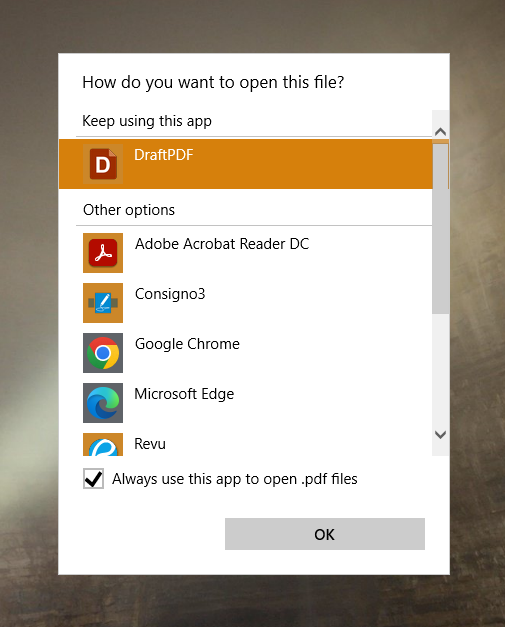
- Select DraftPDF from the available apps.
- If your operating system offers the option, choose to always open PDF files with DraftPDF.
What happens when a PDF opens
- The installed app launches directly to the editor.
- If you are already signed in, the PDF opens after the editor finishes loading.
- If you are signed out, DraftPDF sends you through sign-in and then returns to the editor.
Tip:Your PDF still opens locally in your browser environment. DraftPDF does not upload the file to a server.