View Any PDF Directly in Your Browser
Open PDFs instantly without Adobe Reader or any plugin. DraftPDF renders your documents locally using the same PDFium engine that powers Chrome — fast, accurate, and private.
Free & full-featured · No uploads · Works offline
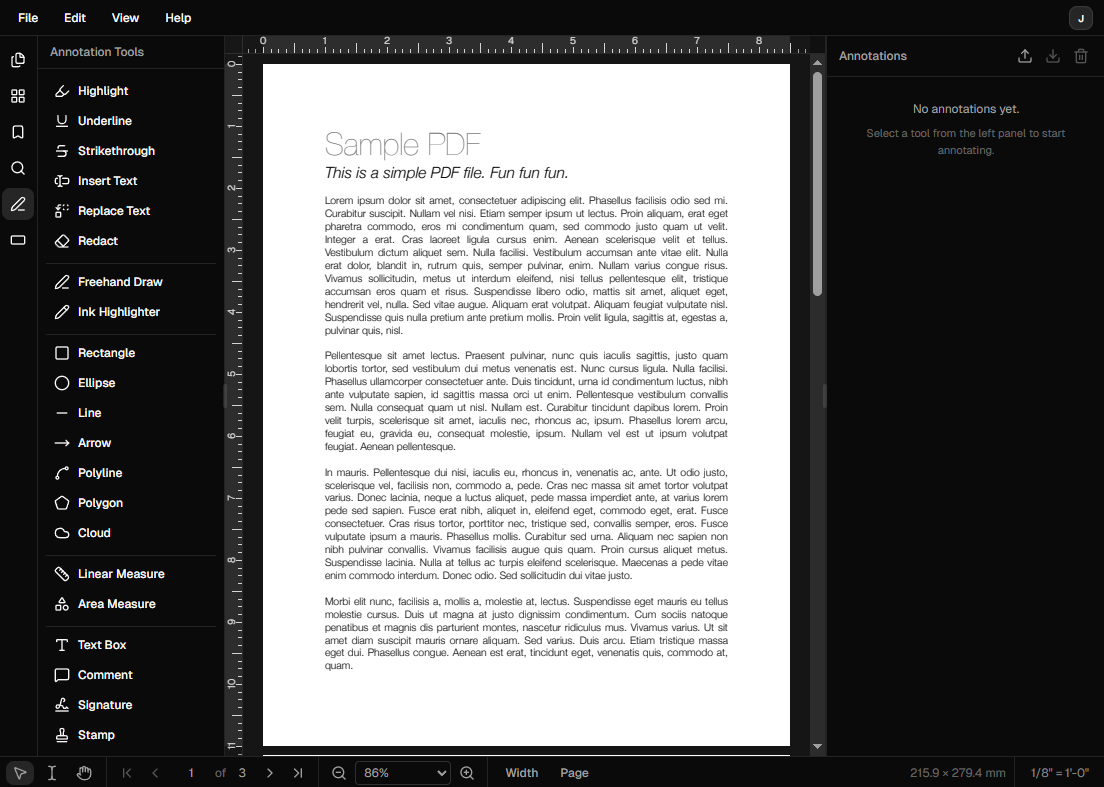
PDF VIEWER
A PDF viewer that does more
DraftPDF isn't just a viewer — it's a full editor. Start by viewing your document, then annotate, highlight, or sign without switching tools.
High-fidelity rendering: PDFium-powered rendering displays fonts, vector graphics, and images exactly as intended — the same engine Chrome uses.
Multi-page navigation: Browse pages with a thumbnail panel, jump to any page instantly, and use spread view for double-page layouts.
Search within PDFs: Full-text search lets you find any word or phrase across the entire document in milliseconds.
PRIVACY FIRST
Your documents stay on your device
Unlike most online PDF viewers, DraftPDF never uploads your files. Everything is processed locally using WebAssembly.
No uploads ever: Open confidential contracts, medical records, or financial documents without worrying about server storage.
Works offline: Once loaded, DraftPDF works without an internet connection — your document is always in your control.
No Adobe Reader required: No plugins, no browser extensions, no installs. Just open DraftPDF and drop your file.
Frequently Asked Questions
Everything you need to know before you get started.
How do I open a PDF in DraftPDF?
Getting started
Navigate to DraftPDF and either drag and drop your PDF file onto the editor, or click the open button to browse for a file. The document opens instantly in your browser — no upload required.
Do I need to create an account to view PDFs?
Account requirements
No. Viewing and annotating PDFs is free and requires no account. You can open and read any PDF file immediately.
Is DraftPDF a replacement for Adobe Reader?
Adobe Reader alternative
Yes, for most use cases. DraftPDF uses the same PDFium rendering engine as Google Chrome, so it renders PDFs with the same fidelity as Adobe Reader. It also adds annotation, measurement, and editing tools that Adobe Reader doesn't include.
Can I annotate a PDF while viewing it?
Annotations
Yes. DraftPDF is a full PDF editor, not just a viewer. You can highlight, underline, add comments, draw shapes, stamp, and sign — all while viewing the document.
Ready to get started?
Open DraftPDF in your browser — no account, no install, no data ever leaves your device.
Free & full-featured · Works offline · No sign-up required
Related Tools
Merge PDFs
Open multiple PDF files and combine them into one document in seconds. Free, browser-based PDF merger — no uploads, no installs.
➕Insert Pages
Add pages from another PDF or insert blank pages anywhere in your document. Free, browser-based, no uploads required.
✂️Delete Pages
Remove unwanted pages from any PDF document instantly. Browser-based, no uploads, no installs.
🔖PDF Bookmarks
Create, edit, and organise PDF bookmarks (outlines) to make navigation effortless. Free, browser-based.