Annotate Any PDF In Your Browser
Add sticky notes, text boxes, shapes, and stamps to your PDFs — fast, private, and free.
Free & full-featured · No uploads · Works offline

ANNOTATION TOOLS
Rich annotations for every use case
Whether you're reviewing a contract, marking up engineering drawings, or leaving feedback on a report, DraftPDF has the right tool.
Sticky notes: Add pop-up comment notes anywhere on the page — they collapse to a small icon when not in focus.
Text boxes: Insert free-text annotations with custom font, size, and colour directly on the document.
Measurement annotations: (Coming soon) Set a scale and measure distances, areas, and perimeters with calibrated precision.
Frequently Asked Questions
Everything you need to know before you get started.
How do I add a comment to a PDF?
Adding comments
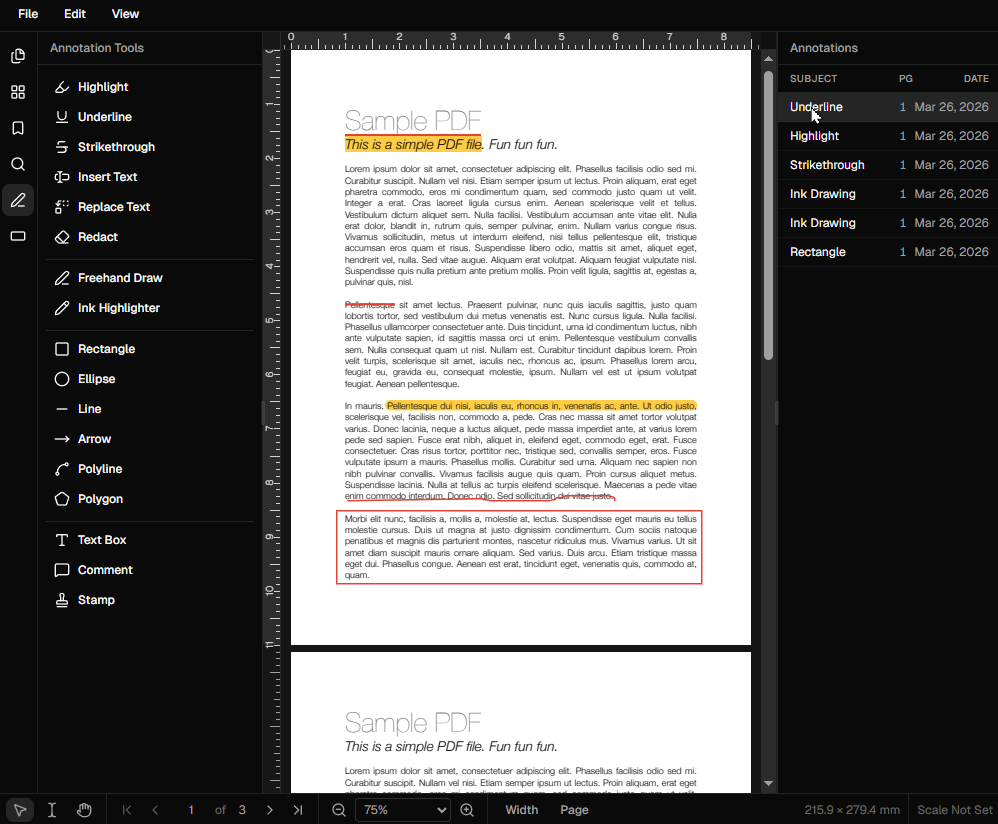
Select the sticky note or text annotation tool from the toolbar, then click anywhere on the page. Type your comment in the text field and click outside to confirm.
Are annotations stored separately from the content?
Annotation layer
Yes. Annotations sit on a separate layer above the PDF content. This means the original document text and images are never modified — annotations can be edited or removed at any time.
How do I export a PDF with annotations?
Saving annotations
Click the download button in the top menu. Your annotations are embedded into the exported PDF following the PDF/A annotation standard, so they display in Acrobat, Preview, and all major viewers.
Can I annotate engineering or architectural drawings?
Technical drawings
Yes. You can currently add text annotations and shapes to drawings. Calibrated measurement tools are coming soon and will allow you to set a scale factor and annotate drawings with accurate dimensions.
Ready to get started?
Open DraftPDF in your browser — no account, no install, no data ever leaves your device.
Free & full-featured · Works offline · No sign-up required
Related Tools
Merge PDFs
Open multiple PDF files and combine them into one document in seconds. Free, browser-based PDF merger — no uploads, no installs.
➕Insert Pages
Add pages from another PDF or insert blank pages anywhere in your document. Free, browser-based, no uploads required.
✂️Delete Pages
Remove unwanted pages from any PDF document instantly. Browser-based, no uploads, no installs.
🔖PDF Bookmarks
Create, edit, and organise PDF bookmarks (outlines) to make navigation effortless. Free, browser-based.