Getting Started
Creating a New PDF
How to start a blank PDF in DraftPDF using the New PDF dialog.
Use the New PDF dialog when you want to start from a blank document instead of opening an existing file.
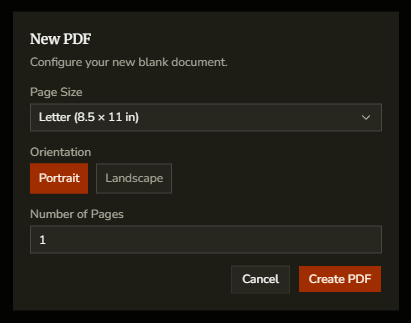
- Open File > New PDF.
- Choose a page size preset such as Letter, A4, or another standard size.
- Set the orientation to Portrait or Landscape.
- If you choose Custom, enter your own width and height and select the unit.
- Set the number of pages you want to create.
- Click Create PDF.
Tip:Use a preset size when possible so the document starts with standard print dimensions.