Bookmarks
Editing Bookmarks
How to rename a bookmark or change its target page and zoom level in DraftPDF.
Any bookmark can be edited to update its title, target page, or zoom mode.
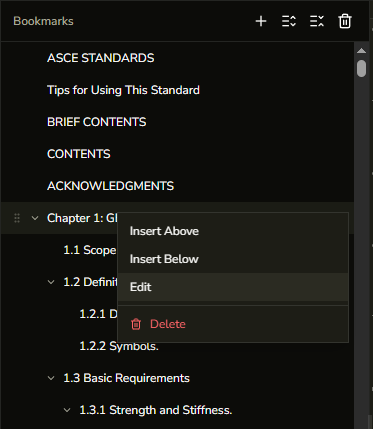
- Open the Bookmarks panel from the left sidebar.
- Right-click the bookmark you want to edit.
- Select Edit from the context menu.
- Update the title, page number, or zoom mode in the dialog.
- Click Save.
Tip:The hover tooltip on each bookmark row shows the target page number. If a bookmark shows no page on hover, use Edit to set its target.