Bookmarks
Inserting Bookmarks Above or Below
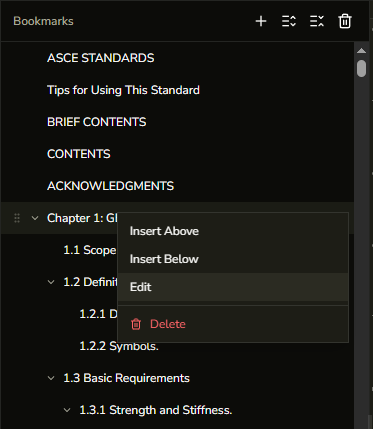
How to insert a new bookmark at a specific position in the bookmark list using the context menu.
Insert Above and Insert Below let you add a new bookmark at a precise position relative to an existing one, without having to drag or reorder afterward.
- Open the Bookmarks panel from the left sidebar.
- Right-click the bookmark you want to insert next to.
- Select Insert Above to add a new bookmark immediately before it, or Insert Below to add one immediately after.
- Fill in the title and target page in the dialog.
- Click Save.