Paste a Picture into a PDF, then Filter It
Copy a screenshot or an image anywhere and press Ctrl+V. Then change it with filters, make its white background see-through, or lay a copy of one drawing over another.
Free & full-featured · No uploads · Works offline
PASTE AND PLACE
From the clipboard to the page
No saving the image to a file first: copy it, switch to DraftPDF and press Ctrl+V.
Ctrl+V: A screenshot, a copied image or a figure from another program lands on your pointer. Click the page to place it, and click again to place more copies.
Move, resize, rotate: A placed picture works like any stamp: drag it, resize it, rotate it and change its opacity.
Stays on your device: The picture goes from your clipboard into your PDF in the browser. Nothing is uploaded.
PICTURE FILTERS
Change a picture without leaving the PDF
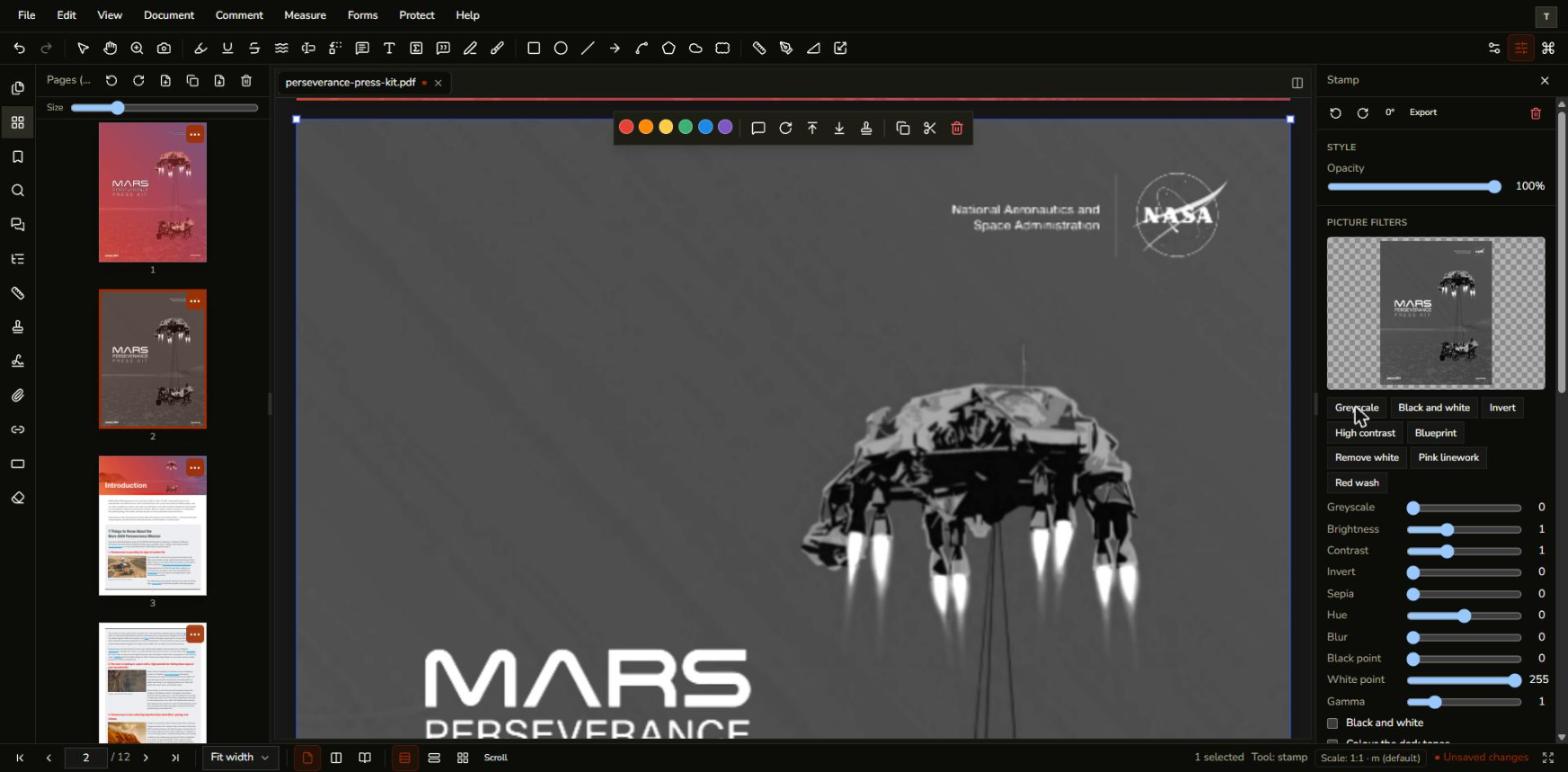
Select a picture and use Picture filters in the properties panel, with a live preview before you apply anything.
Tone and colour: Greyscale, black and white, brightness, contrast, invert, sepia, hue, blur, and levels for the dark and light tones.
See-through colour: Make white, or any colour, transparent with smooth edges. Useful for a scanned signature or a logo on a white background.
Colour overlay: Lay a colour over the picture with a blend mode such as Multiply, Screen or Overlay, and choose how strongly.
OVERLAY TWO DRAWINGS
Pink lines over another plan
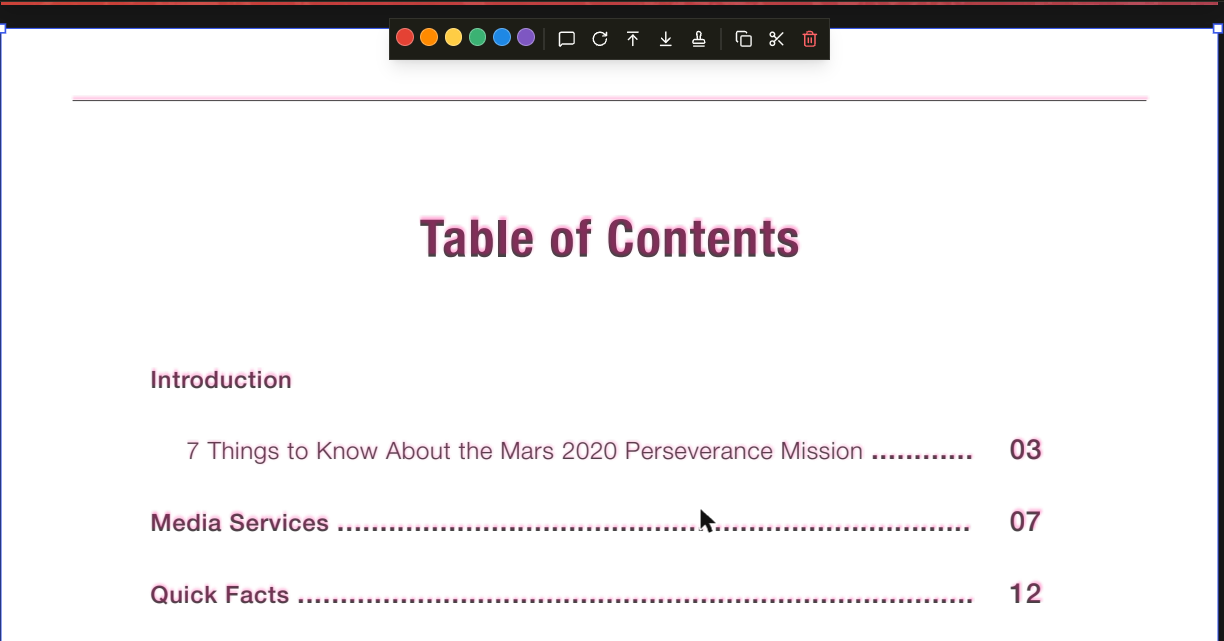
Turn a screenshot of one drawing into see-through pink linework and lay it over another to see what changed.
One click: The Pink linework preset turns black lines pink and the white paper transparent.
Adjust the opacity: Lower the picture's opacity so the drawing underneath shows through, and compare the two.
Line up by eye: Move and resize the picture until the lines match. It is good for spotting changes, not for checking dimensions.
Frequently Asked Questions
Everything you need to know before you get started.
How do I paste an image into a PDF?
Step-by-step guide
Copy the image in any program, switch to DraftPDF and press Ctrl+V, then click the page where you want it. If your browser asks to read the clipboard, allow it.
How do I make a picture's white background transparent?
See-through colour
Select the picture, open Picture filters, click the Remove white preset, then click Apply. The white becomes transparent with smooth edges, so what is under the picture shows through.
Can I undo a filter?
Permanence
Yes, with Ctrl+Z until you save and close the file. Apply changes the picture itself and DraftPDF does not keep the original, so keep a copy if you may need it. A JPEG is compressed again each time you apply.
Which browsers does it work in?
Compatibility
Chrome and Edge are supported. Firefox should work but has had less testing, and Safari is not supported yet, because it lacks the canvas filters that Picture filters use.
Can I blend a picture onto the page like Multiply in a design program?
Current limits
Not onto the page itself: DraftPDF cannot set a blend mode on a placed picture. A See-through colour on white gives the same result for a picture with a white background, and you can lower the picture's opacity. A Colour overlay does blend, but only within the picture.
Ready to get started?
Open DraftPDF in your browser — no account, no install, no data ever leaves your device.
Free & full-featured · Works offline · No sign-up required
Related Tools
Merge PDFs
Open multiple PDF files and combine them into one document in seconds. Free, browser-based PDF merger — no uploads, no installs.
➕Insert Pages
Add pages from another PDF or insert blank pages anywhere in your document. Free, browser-based, no uploads required.
✂️Delete Pages
Remove unwanted pages from any PDF document instantly. Browser-based, no uploads, no installs.
🔖PDF Bookmarks
Create, edit, and organise PDF bookmarks (outlines) to make navigation effortless. Free, browser-based.